

When a website starts losing leads instead of generating them, the instinct is to start scoping a redesign. That instinct skips a less expensive option that usually works just as well: fixing what’s actually broken. That’s where a website support plan comes in.
Your site might not be broken at the architecture level, but it’s possible it’s carrying so much that the foundation is overloaded. How many abandoned campaign landing pages, duplicate templates, or forgotten forms are on your site right now? None of that requires tearing the site down. It requires someone going in and cleaning it up, on purpose, with a plan. But maintenance tasks aren’t shiny, glamorous, or exciting projects. They’re preventative maintenance, and they keep you from having to start over.
You could assign these tasks internally. None of them are impossible. But they require time, technical context, analytics access, platform knowledge, and follow-through. That’s exactly why they belong in a website support plan: they are important enough to do regularly, but rarely urgent enough to get done by an already-busy internal team. Every week you wait, small issues like this are quietly costing you leads, and in many cases, fixing it doesn’t require a rebuild.
What Can a Website Support Plan Fix?
Here are seven places where the right amount of support can help you wipe the dust off your underperforming website and bring it back to life:
1. Clean Up Outdated Templates
Over time, templates multiply. A campaign launches, someone duplicates the closest landing page, and a few years later your team has nine versions of “basic landing page” with no clear standard.
What support can do: Audit your WordPress templates, Elementor layouts, Gutenberg patterns, Drupal paragraph types, or view modes to see what’s active, duplicated, outdated, or safe to merge.
Why it matters: Fewer templates mean fewer editor mistakes, lighter pages, cleaner maintenance, and less risk every time someone updates the site.
Could you do this yourself? Yes, if someone on your team has the time to review usage, compare layouts, check dependencies, and clean up safely. Most teams don’t, which is why this fits neatly inside a website support plan.

2. Tighten Navigation Around How People Actually Use the Site
Most site navigation is built at launch and never thought about again. But your users have been telling you exactly how they move through your site. Google Analytics and heatmap tools like HotJar or Microsoft Clarity give you the data you need to build a journey around your visitor’s actual behavior.
What support can do: Review your analytics data to determine which menu items get clicked, which paths lead to a form fill, and which pages nobody has seen in years. Identify dead links, simplify menu options, and clean up disjointed user journeys.
Why it matters: Fewer dead ends between a visitor’s first click and your conversion page mean more leads, and ultimately, more sales.
Could you do this yourself? Yes, if you have someone on your team who can interpret analytics data and turn those insights into strategic information architecture decisions.
3. Speed Up the Pages that Fill Your Funnel
Every page on your site is not equal. Some do more work than others: your pricing page, your demo request page, your donation page, your top landing pages. Is the amount of development time going into them reflective of the amount of traffic they’re getting?
What support can do: Review the Core Web Vitals for your high-value pages and determine if tactics like image compression, lazy loading, or caching can speed things up. Identify bloat caused by third-party scripts, unused plugins or modules, or improper configurations.
Why it matters: Improvements on a handful of high-traffic pages will improve conversion rate more than a site-wide speed pass that spreads the same effort thin.
Could you do this yourself? Yes, if you have someone on your team who understands both how front-end CMS configurations impact the back-end of your site and your optimal user journey, and has dedicated bandwidth to address the issues.
4. Cut Your Forms Down to Size
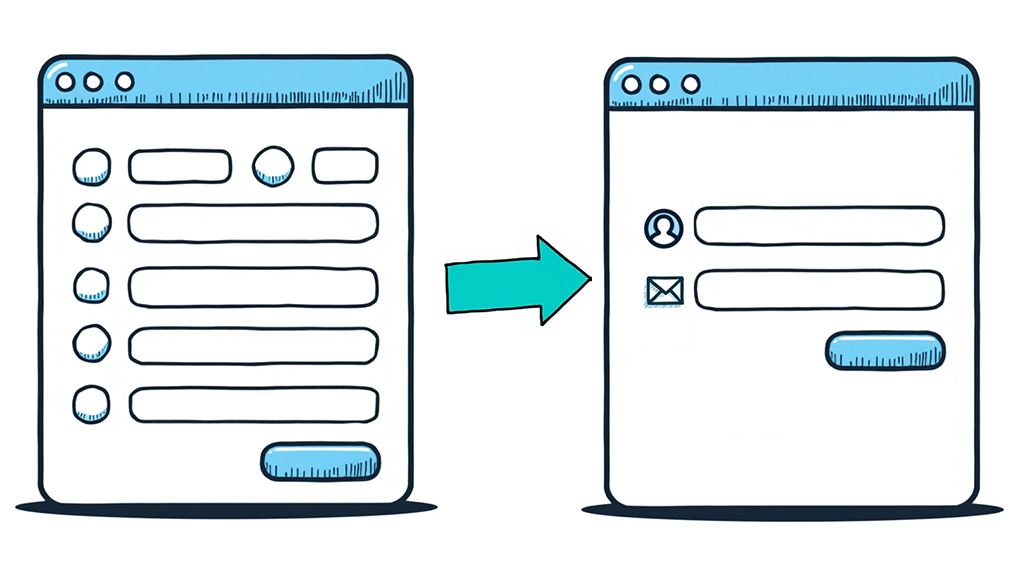
HubSpot data has shown that every extra form field after #5 leads to more abandonment. At the same time, your team still needs that information for lead scoring and follow-up. If your CMS is configured properly, you can probably use your marketing automation platform to deliver shorter forms but gather more information.
What support can do: Remove unnecessary fields, only show fields when relevant, connect to your marketing automation tool to auto-populate data you already have or know.
Why it matters: A shorter form on a page that already gets traffic can lift submissions without touching anything else. This is one of those high-impact, low-effort wins. indexHill’s research backs that up: roughly 20% of completions are lost when going from 3 to 5 fields.
Could you do this yourself? Yes, but it’s easy to underestimate how many forms you have, how much integration is required, if you are staying compliant with privacy laws, and how to ensure your data integrity.
5. Make Content Editing Easy
If launching a campaign page still means filing a dev ticket, that’s a support problem, not a redesign problem. On WordPress, this usually means cleaning up after a pagebuilder so a marketer can assemble a new page from approved pieces. On Drupal, it means configuring Layout Builder permissions and paragraph bundles so editors have real flexibility within guardrails, instead of either total restriction or total chaos.
What support can do: Audit how your team actually builds pages today, then build or clean up the block patterns, flexible content fields, or paragraph bundles so editors can assemble new pages without filing a ticket. Adjust editor permissions so the design guardrails hold as your team grows.
Why it matters: The goal is a content authoring flow your team can use without you. That’s the difference between a site that supports your pace and one that sets it.
Could you do this yourself? You tried. You’ve probably already built workarounds to get content up faster, which likely led to excess templates and abandoned pages. (See #1)
6. Close the Accessibility Gaps Before They Become a Liability
Accessibility work tends to get skipped until a complaint or a lawsuit forces the issue, but most of the common gaps are quick to fix once you know where they are: missing alt text, low contrast text on brand-colored backgrounds, broken heading hierarchy, missing keyboard focus states.
What support can do: Run a full accessibility audit against WCAG 2.1 AA, then fix what surfaces, missing alt text, low-contrast UI elements, broken heading order, keyboard traps, unlabeled form fields. When the fix touches design or custom code, like contrast within your brand palette or a custom interactive component, we make the change instead of just flagging it in a report.
Why it matters: For mission-driven organizations in particular, this isn’t only risk management. It’s reach. A page a screen reader user can’t see is a prospect you’ve lost before they even started.
Could you do this yourself? Yes. Tools like axe DevTools or WAVE will surface most accessibility issues in an afternoon. Identifying the issues is the easy part. Correcting them may require more than content editors, as design elements or custom code may need adjusting.

7. Repair the Conversion Path End to End
If something is broken here, you might not notice it. The form still looks like it submitted. The page still loads. But if the data never reaches sales, or the redirect sends paid traffic to a 404, you’re paying for clicks that go nowhere and you won’t see it in any dashboard unless you go looking.
What support can do: Audit your customer journey and click through every CTA and submit every form. Verify that the data ends up where it should, that thank-you pages and redirects load, and that unnecessary friction is removed.
Why it matters: This is the task most likely to be silently costing you leads right now.
Could you do this yourself? Yes, if you have the customer journey mapped out and can follow it as if you were new to your site. You’ll also need the time and resources to confirm tracking, routing, redirects, attribution, and follow-up are working as expected.
When Website Support Isn’t the Answer
Support works best when your site has a solid foundation, but small issues are slowing it down.
A website support plan is not meant to fix bigger problems with strategy, structure, design, or platform choice. If your audience has changed, your content is hard to manage, your design limits what your team can do, or your platform blocks key features, support may only treat the symptoms. In that case, it is time to look at a redesign, rebuild, or strategy project instead. A good partner should tell you when a task belongs in support and when it deserves a larger project.
None of This Requires a New Website
Each task above is scoped, fixed cost, and measurable on its own. Each task has a clear before and after: a load time, a completion rate, or a click path. You’ll see whether it worked, and so will we, before either of us calls it a win.
The hard part isn’t doing the work. It’s knowing which of these are impacting your site. That’s worth two minutes. Take the User Journey Quiz and you’ll get a quick read on where your site stands.
If the quiz turns up more than one likely problem, that tracks. Most sites we look at have friction in two or three of these areas at once, not just one. For the fuller picture, our Optimization Checklist breaks the same ground down further, across editing, navigation, performance, platform fit, and redesign readiness, so you can see where you actually score instead of guessing.
Either way, bring your results to a Back on Track Website Session. We’ll help you turn “the site needs work” into a short, ranked list of what to fix first and what it’ll take.
That’s the case for a website support plan. Not a project that ends, but an ongoing practice that keeps this list short, so it doesn’t quietly become your next redesign.