
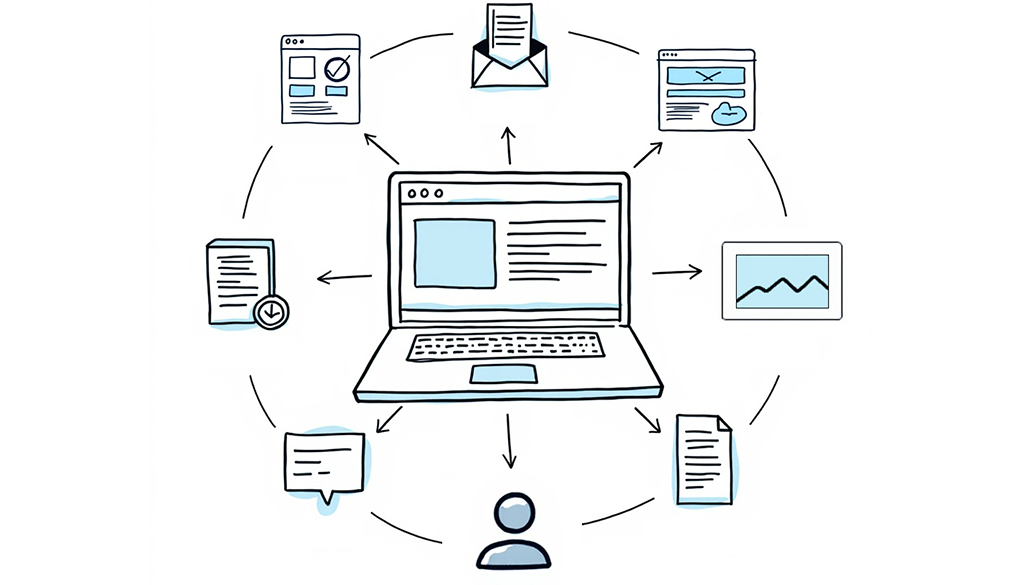
For years, websites were treated as digital brochures. The questions that mattered were whether the site looked professional and whether it explained what the organization does. Those questions still matter, but they no longer cover what a website does for a marketing team today. Campaigns launch on it, content strategy plays out on it, data gets collected through it, and other tools connect to it. Marketing doesn’t just show up on your website anymore. It happens there.
That makes your website something closer to an operating system, the layer everything else runs on. When it works, nobody thinks about it. When it stalls, every campaign, page, and report sitting on top of it stalls with it.
In practical terms, a website operating system is the content management system (CMS), content structure, the components, integrations, and workflows that let a marketing team launch, test, and improve without unnecessary friction. So beyond asking whether visitors like the design, it’s worth asking whether your team can not only operate the system behind it, but at the speed they need to get things done.
The Short Version
- Your website operating system (the CMS, content structure, integrations, and workflows behind your site) shapes how fast your team can publish, test, and improve.
- Website friction shows up elsewhere as slower campaigns, fewer chances to learn, and lost momentum.
- A strong foundation gives your team capacity, and capacity means more campaigns shipped and more chances to improve conversion.
- The best websites are built as long-term business infrastructure, with the people who manage them after launch in mind.
How Website Friction Spreads
Most website problems don’t show up on launch day. At launch, the designs are approved, the content is fresh, and every template works as intended. The real test comes six months later when a campaign needs to go live quickly, or two years later when the team needs the site to do something nobody planned for during the build. That’s when early decisions about CMS flexibility, component reuse, and developer dependence start to compound, and a shortcut that saved a week during the build can add time to every update after it.
The symptoms are familiar:
- A landing page that takes longer than it should.
- A simple content edit turns into a developer request.
- Sections of the site look different from the rest.
- Reporting means tracking down numbers from five sources.
Underneath them, you’ll usually find content structures that don’t scale, an editing experience the team doesn’t trust, too many plugins and disconnected tools, and inconsistent templates.
None of this stays contained to the website:
- Marketing feels it in slower campaign launches.
- Content teams feel it in a frustrating publishing process.
- Leadership feels it when the site can’t keep up with shifting priorities.
- Users feel it as an inconsistent experience, which is where conversion quietly erodes.
The most expensive moment comes when your team stops asking “what should we do?” and starts asking “what can the website handle?” Every week a campaign waits in a queue is a week of leads you didn’t capture.
Usually nobody made a bad decision. The site was handed off as a finished deliverable when it needed to be treated as a website operating system that keeps evolving.
A Strong Website Operating System Creates Capacity
One of the most overlooked measures of a successful website is whether it gives your team time back. A strong foundation makes the common things easy: publishing a resource without rebuilding a layout, launching a landing page without starting from a blank screen, and updating content without fear of breaking the design. The goal isn’t unlimited flexibility; it’s the right amount of flexibility inside a trusted system.
That flexibility becomes capacity, and capacity creates opportunity. A team that can ship three landing pages instead of one gets three times the chances to test messaging, support campaigns, reach customers, and improve conversion paths. For lean marketing teams, that’s the difference between chasing a content calendar and actually executing it.
What This Looks Like In Practice: Claravine
Claravine was scaling fast into enterprise deals, and a website built for an earlier stage of the company couldn’t keep up. Design had drifted, editing tools were cumbersome, plugins were aging, and routine updates had become time-consuming. Internally, the marketing team needed more speed and control. Externally, a 79% bounce rate showed the site was not reaching the enterprise buyers it was trying to reach. So the work shifted from refreshing templates to strengthening the foundation.
Improving Claravine’s Website Operating System
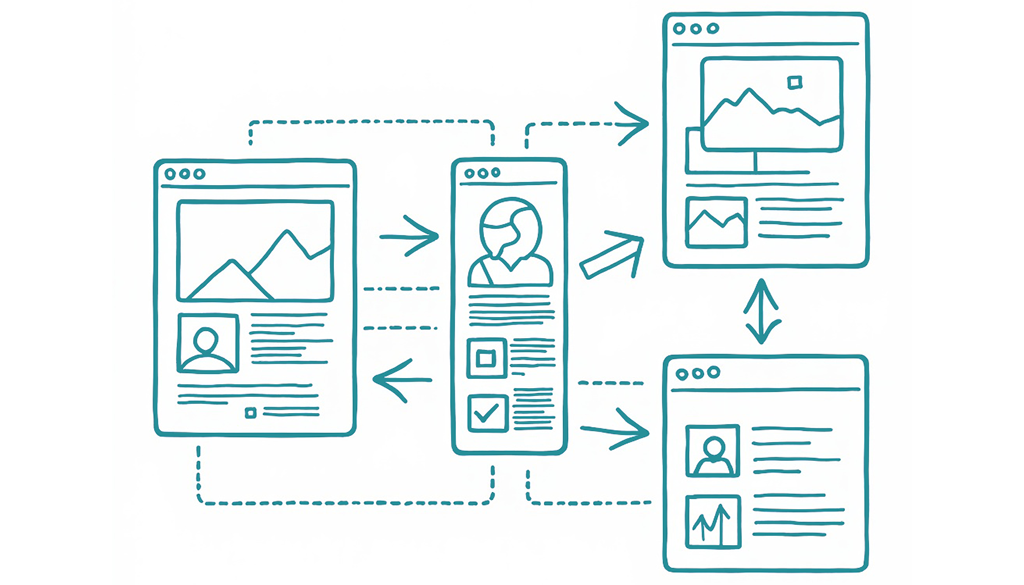
Rather than start from scratch, Culture Foundry improved the existing WordPress architecture and introduced a modular component system through Alloy, our structured WordPress framework designed around reusable components and governed editing. This gave the marketing team a library of approved, ready-made blocks they could assemble into new pages themselves, without a blank canvas, broken layout, or dev ticket. A landing page that used to require a developer became something a marketer could ship in an afternoon, with brand and structure staying consistent automatically.
Performance and stability improved too, with the Lighthouse Best Practices score rising from 78 to 93. The bigger outcome was what those improvements enabled: a faster experience for visitors, clearer conversion paths for enterprise buyers, and a marketing team that can keep growing the site without piling up new technical debt. Claravine came away with a refreshed website, and, more importantly, a website operating system their marketing team can actually run.
Build for the People Who Run the Site After Launch
Website decisions tend to revolve around launch because it’s visible, it has a deadline, and it’s what everyone is working toward. But launch is the start of the longest phase of a site’s life, and the people who live with those decisions are the marketers, content editors, and digital teams who use the site every day afterward.
That’s why we build websites around:
- Reusable systems
- Clear content structures
- Flexible-but-governed editing
- Thoughtful integrations
- Real accessibility and performance standards.
Visitors rarely notice any of these, but they determine whether your team can keep improving the site long after launch. It’s also why we do the work at every layer ourselves, from strategy and design through development, hosting, and 24/7 support. When one team owns the whole system, nothing gets lost between handoffs, and you have a partner who’s still there when the site needs to grow.
The Best Websites Become Infrastructure
A great website should tell your story, represent your brand, and give visitors a strong experience. It should also make your organization faster and more capable of turning effort into results. The teams that get the most from their websites build for what comes after launch: the campaigns they haven’t planned, content they haven’t written, and business needs that will change.
Because a website isn’t something you finish at launch. It’s something your organization runs on every day.
If your site looks good but every update still feels harder than it should, the problem may not be your team. It may be the website operating system your team is working inside, and that’s exactly the kind of problem we love solving.
Ready to See What Your Website Can Really Support?
When your website becomes the bottleneck, the answer is not always a complete rebuild. Our complimentary website review looks at your CMS, content structure, workflows, integrations, and governance to determine what your current system can support, where marketing friction is coming from, and what it would take to give your team more speed and control. No hard sell, just practical clarity and a realistic path forward.